08:00 · On the move
Check in from wherever you are
Review business activity and stock from a mobile device, then continue working at the shop with a multi-device setup.

Billing · Inventory · Accounting
Vyapar is a business billing and accounting app designed to help small businesses handle invoices, GST-ready billing, stock, payment records and day-to-day reports from one place.
Use a mobile device or desktop workflow to create sales bills, follow outstanding payments, organize products and review business activity. The original product describes mobile and desktop use, cloud sync and offline billing capabilities.
Explore the features ↓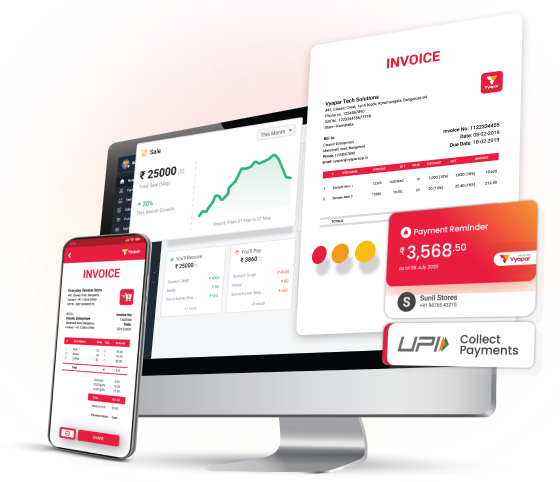
A more organized business day
A connected billing workflow can make routine tasks easier to follow. Here are four common moments in a small business day and the tools that support them.
08:00 · On the move
Review business activity and stock from a mobile device, then continue working at the shop with a multi-device setup.
11:00 · Busy hours
Separate staff access can help a business owner delegate billing tasks while keeping day-to-day work organized.
16:00 · Connectivity gap
The product describes offline billing, with data syncing again when an internet connection is available.
21:00 · Closing time
Cloud backup and sync options help keep business records accessible across supported devices.
Anytime · Review
Use sales, stock, payment and profit reports to understand what happened and decide what needs attention.
Every day · Control
Account access controls and backup practices help businesses keep routine records organized and available.
Practical tools
Vyapar brings several routine business tasks into one app. Create invoices, record how customers paid, keep product quantities up to date, and check reports without maintaining separate manual records for every process.
More ways to stay on top of work
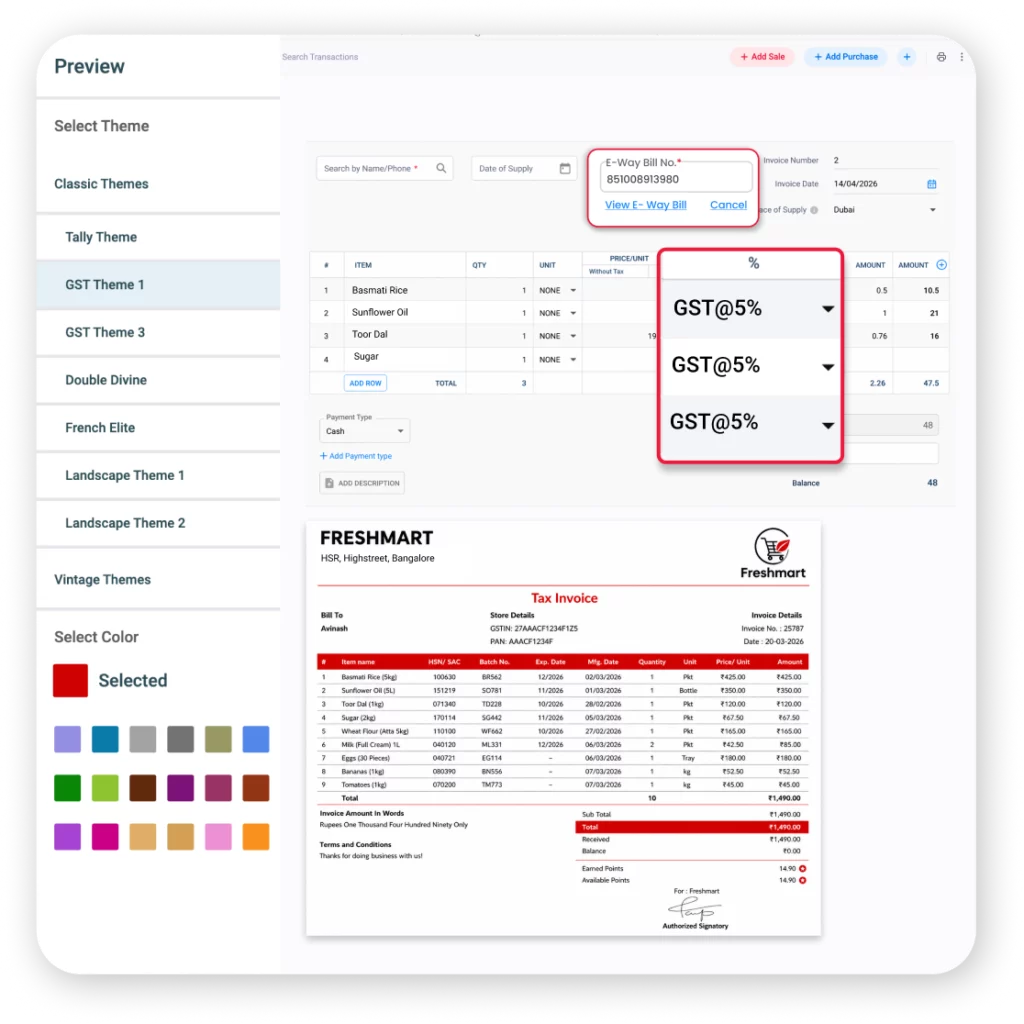
Alongside core invoices and inventory, the product overview lists tools intended to make common sales and record-keeping tasks more manageable.
Record payment methods against bills, keep an eye on pending dues and maintain a clearer view of collections.
Apply item-level or bill-level discounts and handle tax calculations as part of the billing process.
Share invoice details with customers through supported messaging and digital sharing options.
For eligible workflows, the product lists support for GST e-invoices and e-way bill creation.
Billing setups can include supported thermal printers, weighing scales and EDC devices.
Data transfer options can help businesses move accounting records between systems.
OCR scanning can turn information on purchase bills into digital entries and reduce manual typing.
Create delivery challans and follow order progress from preparation through dispatch.
Choose a bill layout and add business details, shop name and logo to customer-facing invoices.
Built around everyday businesses
Small businesses have different products, customers and billing rhythms. Vyapar presents its tools for a range of retail and service settings, with billing and stock tasks adapted to each kind of operation.

Handle daily counter sales, product billing, barcode workflows and stock tracking.
Organize bulk orders, payment follow-up, delivery records and product movement.
Keep product, raw material and cost records connected to the business workflow.
Getting started
A few initial details give the billing system the information it needs for everyday sales and reporting.
Add your business name and the details needed on customer bills.
Enter item names, prices, taxes and opening stock where relevant.
Set up a bill format that fits your shop and the information your customers need.
Prepare sales invoices and record payment status as transactions happen.
Check sales, inventory and payment summaries to guide the next business day.
Designed for a diverse market
The product describes support for more than nine Indian languages, helping business owners use familiar language options in their daily billing workflow. Availability can vary by feature and device.
A well-maintained record of bills, payments and stock can help business owners see what has sold, what is due and what needs restocking.
Frequently asked questions
Vyapar is billing and business management software for small businesses. Its listed capabilities include invoicing, GST billing, inventory, payment tracking and business reports.
The product includes GST-ready billing and tax calculation features, plus e-invoice and e-way bill tools for supported workflows. Businesses should confirm their own compliance requirements with a qualified professional.
The product describes offline billing support, with syncing when connectivity returns. The exact behavior can depend on device, configuration and current product version.
Yes. Product and stock management are part of the listed feature set, alongside purchase and sales workflows.
Vyapar describes use across retail shops, grocery stores, wholesalers, distributors, manufacturers, pharmacies, restaurants, jewellery and clothing businesses, among others.
The product describes mobile and desktop availability with cloud synchronization. Check current supported devices and plan details before choosing a setup.
The product overview lists cash, UPI, cards and bank transfers among payment options that can be recorded against bills.
A clearer view of your business
Bring everyday billing, product tracking, payment follow-up and business reports into a connected workflow designed around small business needs.
Back to the overview ↑This independent informational page summarizes publicly described Vyapar product features. Product capabilities, figures, language availability, pricing and terms may change. Confirm current details with the product provider before making a purchasing or compliance decision. Images in this template are loaded from Vyapar’s public image CDN; no image is wrapped in an outbound link.
Have a question about Vyapar billing and business tools, GST invoicing, inventory, accounting or getting started? Share your details and our team will help you find the right next step.
Share a few details below and we'll help with your Vyapar enquiry.